Fall Semester Progress Report
Posted Date: 10/13/26 (09:46 AM)
Fall Semester Progress reports are available on ParentSquare. Here is how to access them. If you would like a printed version, please contact the office by phone at (707) 476-4203 or by email at aroffice@fuhsdistrict.net.
How to Access Progress Report
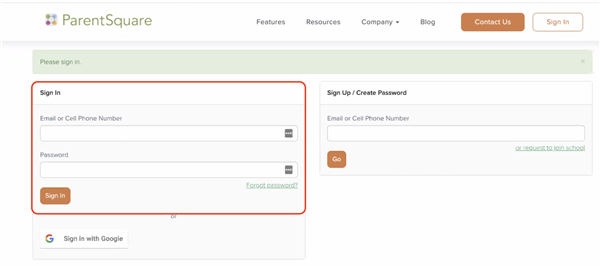
1. Sign in to ParentSquare account
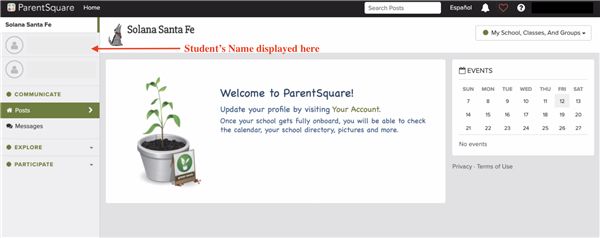
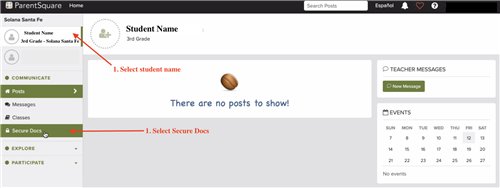
2. Once signed in, the Dashboard will be displayed. Student's Name(s) will appear in the column on the left-hand side.
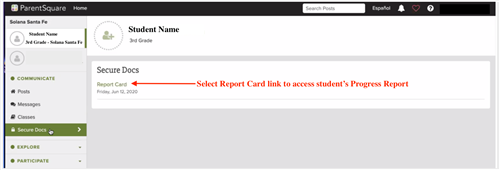
3. Select the student's name on the left. Then select the Secure Docs tab.
4. A link to view students' progress reports will be displayed in the center of the page; select to view.